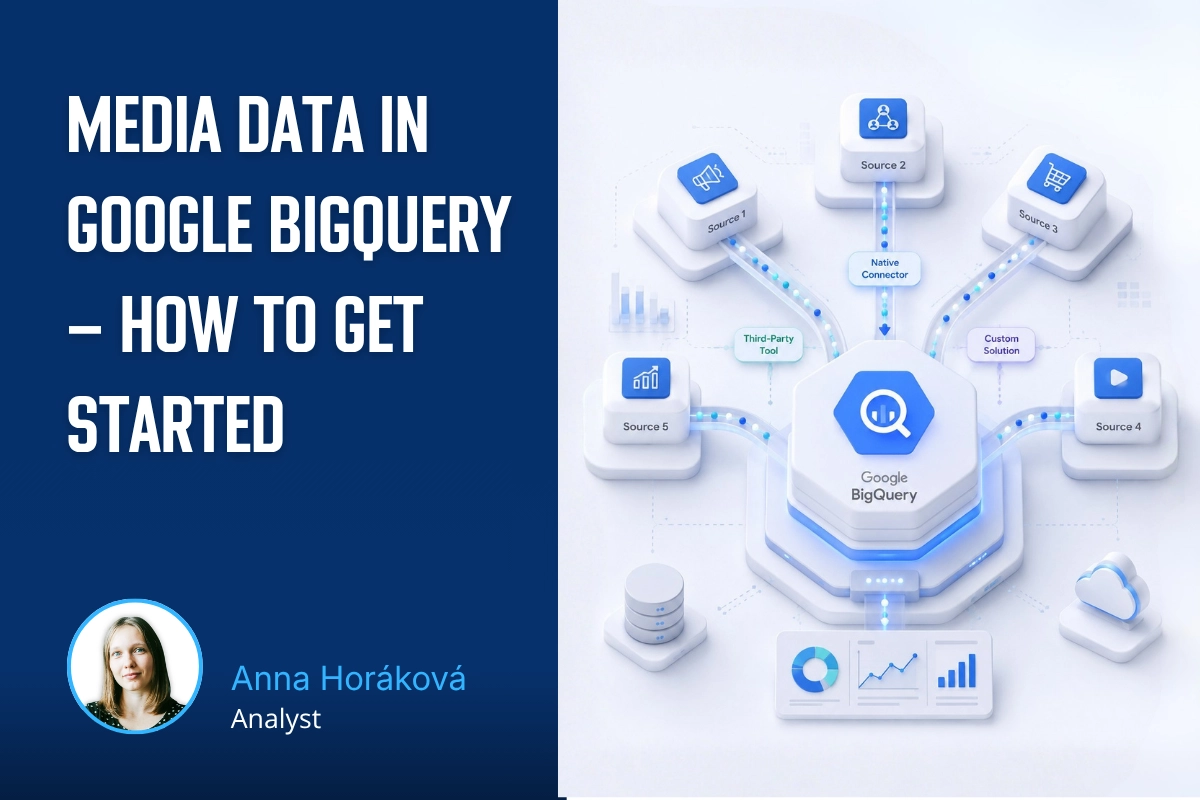
Google Ads is one of the easiest media sources to connect to BigQuery. This guide covers DTS setup, Standard vs. Custom reports, service accounts, MCC structures, PMax tables, and common limitations.
Google Ads is probably the simplest case of all media platforms when it comes to connecting data to BigQuery. The native BigQuery Data Transfer Service connector exists, is well maintained, covers the relevant metrics and tables, and the export setup itself takes only a few dozen minutes. Unless you have a specific reason to choose a different approach, DTS should be your primary option.
This article follows the introductory part of the Media pipelines series: architecture and decision-making, which explains the general principles: when to choose which type of connector, how to set up service accounts, and how to handle backfills. If you have not read the introduction yet, I recommend starting with the section on service accounts, as this article builds on it.
Code and SQL examples for this article are available on GitHub.
What you will need:
A GCP project with permission to create data transfers. The simplest option is roles/bigquery.admin, or alternatively a combination of roles/bigquerydatatransfer.admin and roles/bigquery.user.
Access to the target Google Ads account with the Admin role, so you can add the service account as a user. If you use an MCC structure, Admin access at the MCC level is enough.
Standard vs. Custom reports
When creating the DTS configuration, the first decision you need to make is whether to use Standard reports or Custom reports.
Standard reports download a predefined set of tables covering campaigns, ad groups, ads, keywords, asset performance, audience metrics, conversion data, and other areas. The schema is defined by Google and cannot be customized. For 90% of use cases, this is sufficient. The default set usually contains more than you will realistically need.
Custom reports allow you to define your own query using Google Ads Query Language (GAQL) and download exactly the schema you need. This approach makes sense mainly in two scenarios: either you need data that is not available in Standard reports, such as specific asset insights or custom segmentation, or you deliberately want to download only the data you are actively using at the moment.
In general, I am not a fan of downloading large amounts of data just in case. With Google Ads, however, the data volume is usually not very high, and there is also a risk that some data may not be available retrospectively later. A typical example is GCLIDs, which are available only for the past 90 days.
Practical recommendation: start with Standard reports. Storage costs in BigQuery are negligible, Custom reports are more fragile because you need to maintain them when the GAQL schema changes, and Standard reports cover everything you need for regular reporting. Move to Custom reports only when you run into a specific use case that Standard reports cannot handle.
Performance Max Tables
Performance Max is, by nature, a black-box campaign type. Google does not show which asset combinations or placements impressions were actually targeted to. Through DTS, however, you can get at least PMax-specific tables, which provide more context than standard campaign reporting.
If you use PMax campaigns in the account, select Include PMax Campaign Tables during setup.
DTS Configuration Setup
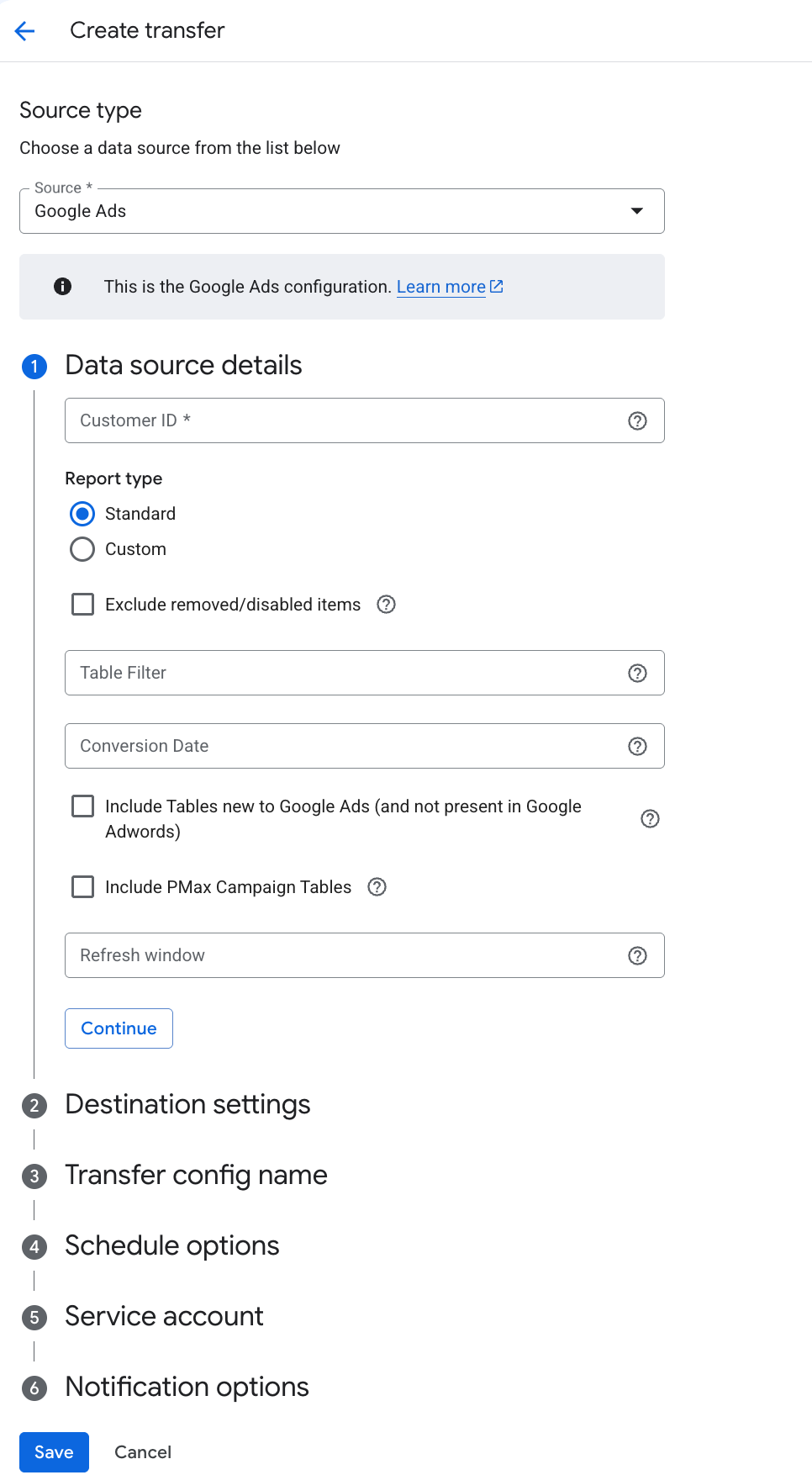
In the GCP console, go to BigQuery → Data Transfers → Create Transfer.
Values to enter:
Source: Google Ads
Transfer config name: follow your naming convention, for example googleads_export_ID
Schedule: Daily, ideally outside peak hours, for example 05:00 UTC, so the data is available before the team starts work
Destination dataset: create it in advance, ideally with a name that includes the Google Ads account ID, for example googleads_export_<account_id>
Customer ID: the Google Ads account ID or MCC ID. If you have an MCC, use the MCC ID. DTS will download data from all child accounts, which is better than creating one transfer per child account.
Refresh window: the default is 7 days, the maximum is 30 days. We recommend 14–30 days to cover later attribution. The storage cost of additional partitions is negligible.
Include PMax Campaign Tables: select this if the account uses PMax.
Service account: select the service account dedicated to Google Ads.
If you want to backfill data for a previous period, use the day-by-day backfill script from the introductory part of the series. For Google Ads, it makes sense to gradually backfill the last 90 days, mainly because of GCLIDs, which are not available later.
Service Account in Google Ads
Create a service account dedicated to Google Ads. The process is described in the introductory article of this series.
Google Ads accepts a service account email in the same way as a regular user email, with one exception. If the Google Ads account has the Allowed Domains restriction enabled, typically for clients with stricter security policies, the service account email may not be accepted. In that case, you first need to add the service account domain, meaning <project>.iam.gserviceaccount.com, to the allowlisted domains.
In Google Ads, as an Admin:
Go to Admin → Access and security → Security. If the Allowed Domains section is active, add the service account domain, for example project_id.iam.gserviceaccount.com, and save it.
Go to Admin → Access and security → Users → +.
Enter the service account email, select the Read only access level, and click Send invitation.
The invitation does not need to be accepted. The service account becomes active in Google Ads immediately, unlike regular users. If the access does not appear right away, wait a few minutes.
MCC Structure
If you use an MCC structure, meaning a manager account with child accounts, grant the service account access at the MCC level, not on individual child accounts.
Reasons:
A service account with MCC access automatically sees all child accounts.
Maintenance is easier because you do not need to add the service account to every new child account.
One DTS transfer for the MCC downloads data from all accounts at once with consistent schemas.
If you grant the service account access only to child accounts and later add a new child account, the transfer will ignore it.
Alerting
Default DTS notifications are sent to the email address of the user who created the transfer. If the transfer runs under a service account, these notifications effectively go nowhere.
Basic alerting is therefore necessary. Without it, you typically find out about a failed transfer only when the client calls to ask why today’s data is missing from reporting. You can set up basic monitoring easily by following the article on service monitoring.
Most Important Tables
After the first successful run, dozens of tables and views will appear in the target dataset. Standard reports download the standard set of tables. For regular reporting, the most important ones are:
ads_CampaignBasicStats_<customer_id> – daily performance metrics at the campaign level. This is the default table for reporting; we use it as the basis for the L0 layer.
ads_Campaign_<customer_id> – campaign metadata, such as name, status, campaign type, or budget. It is joined to BasicStats through campaign_id.
ads_AdGroupBasicStats_<customer_id> – daily performance metrics at the ad group level. Useful for more advanced analyses.
ads_AssetGroupProductGroupStats_<customer_id> – a PMax-specific table with more detailed asset group performance.
The full query for basic reporting is available on GitHub.
Most Common Limitations and Issues
The default refresh window of 7 days is not enough. Conversions attributed in Google Ads often arrive with a delay of several days. Set the refresh window to 14–30 days depending on your attribution delay.
PMax tables are not included in Standard reports automatically. If you use PMax, you need to explicitly select them during setup. Otherwise, asset-level data will be missing entirely.
A new child account may not automatically appear in the transfer after a change in the MCC structure. If the client adds a new child account to the MCC, verify that DTS is actually pulling it. In some cases, you may need to delete and recreate the transfer, or at least verify that the new child account has the service account as a user.
The Allowed Domains restriction in Google Ads is a common reason why setup fails. The error messages are often unclear. If the service account cannot be added as a user, this is the first thing to check.
For an MCC with multiple currencies, DTS downloads data in the currency of each child account, not in the MCC currency. If you report across multiple accounts with different currencies, currency conversion must be handled explicitly in the BigQuery layer.
The DTS schema can change on Google’s side. Occasionally a new column is added or a table is deprecated. If you build Dataform or scheduled queries on top of the DTS output, expect to review the setup periodically. We recommend layering through views or staging tables so you can absorb schema changes locally.
What Comes Next
In the third part of the series, we will look at Meta Ads → BigQuery. While Google Ads is a simple case, Meta is one of the most complex ones. We will go through whether the native DTS connector is already usable and what needs to be solved before you start configuring the connector itself.
Who is behind the article
Anna Horáková
Analyst
Anička worked in data analytics at MeasureDesign, connecting data with GA4, BigQuery and Looker Studio. She was part of our team until 2026.
This year's Reshoper brought a stunning venue at the Industrial Palace, a new speaking experience on the Shoptet Silent Stage, and some great conversations in the consulting zone. Plus one GA4 consultation I won't forget anytime soon.
Working with client data in Claude Code requires control over how it's processed. This article covers setting up Claude Code through Google Cloud, so that the data are processed in the EU, according to the DPA and without model training.
Google Ads is one of the easiest media sources to connect to BigQuery. This guide covers DTS setup, Standard vs. Custom reports, service accounts, MCC structures, PMax tables, and common limitations.
Setting up a Google Cloud project takes just a few minutes. But basic guides leave out some important details. Here’s what to watch out for with project ownership, the free trial, and billing roles to avoid unnecessary problems later.
This year at MeasureCamp Czechia, MeasureDesign gave three talks. We covered AI analytics on company data, identifying bot traffic, and how to combine working in analytics with raising young kids.
Working on the go has its benefits, but also a few practical challenges. I’m sharing the setup I’ve fine-tuned over the years that lets me work comfortably from anywhere – from connectivity and a second monitor to ergonomics.
What should a PPC specialist know about analytics and data collection? In our workshop for uLab, we covered the entire chain, from the technical components of tracking and media platforms to collecting and activating first-party data.
How do you get data from multiple ad platforms into a single data warehouse, typically BigQuery? We’ll walk through the core architecture and key decisions before you start exporting data from Google Ads, Meta Ads, Sklik, and other platforms.
Part 3 of our first-party data series gets technical again – we'll show you how to check that data is correctly reaching each system and doing what it should. We'll look at outgoing hits in DevTools and at checks directly in the ad platforms.
A detailed guide to sessionizing the GA4 BigQuery export — from identifying sessions and reliably ordering events to two attribution models (First Event Available and Session Start), their limitations, and validating agreement between them.
Learn how to deploy server-side tracking on Google Cloud Run. Compare Stape vs Cloud Run, configure load balancers, choose billing types, and test your setup.
Complete technical guide to collecting first-party data via dataLayer, normalizing, hashing, and sending through server-side GTM to Google Ads and Meta.
Testing ClickUp MCP: hands-on experience with AI-powered automation, security concerns with access tokens, practical limitations, and who should use it.
Learn how first-party data improves campaign performance, measurement accuracy, and cross-device tracking. Discover practical ways to collect and use it.
Workshops on advanced digital analytics: BigQuery, cookieless tracking, consent, attribution, and building data warehouses for reporting and activation.
Why analytics is an excellent career for women, including those returning from maternity leave. A personal story about transitioning into data analytics.
A look back at Reshoper - advising e-shop owners on tracking and measurement, plus a roundtable on marketing automation with insights on self-hosted N8N.
From Idea to App in 48 Hours 🚀 Building AI-powered apps at #HackYourWeekend using Claude Code, tracking with BigQuery, and lessons from team development.
Recap of PPC Camp: my presentation on legally measuring data without user consent - cookieless tracking, sGTM, BigQuery, Facebook conversions, and Advanced Consent Mode risks.
Ready-to-use BigQuery SQL script to calculate Easter dates (2024-2100) using Computus algorithm. Perfect for filtering GA4 data and analyzing seasonal trends.
GA4 + BigQuery in practice: connecting analytics, CRM & media data, real-world use cases from IKEA, Shoptet, McDonald's & Česká spořitelna, and what it unlocks for marketing.
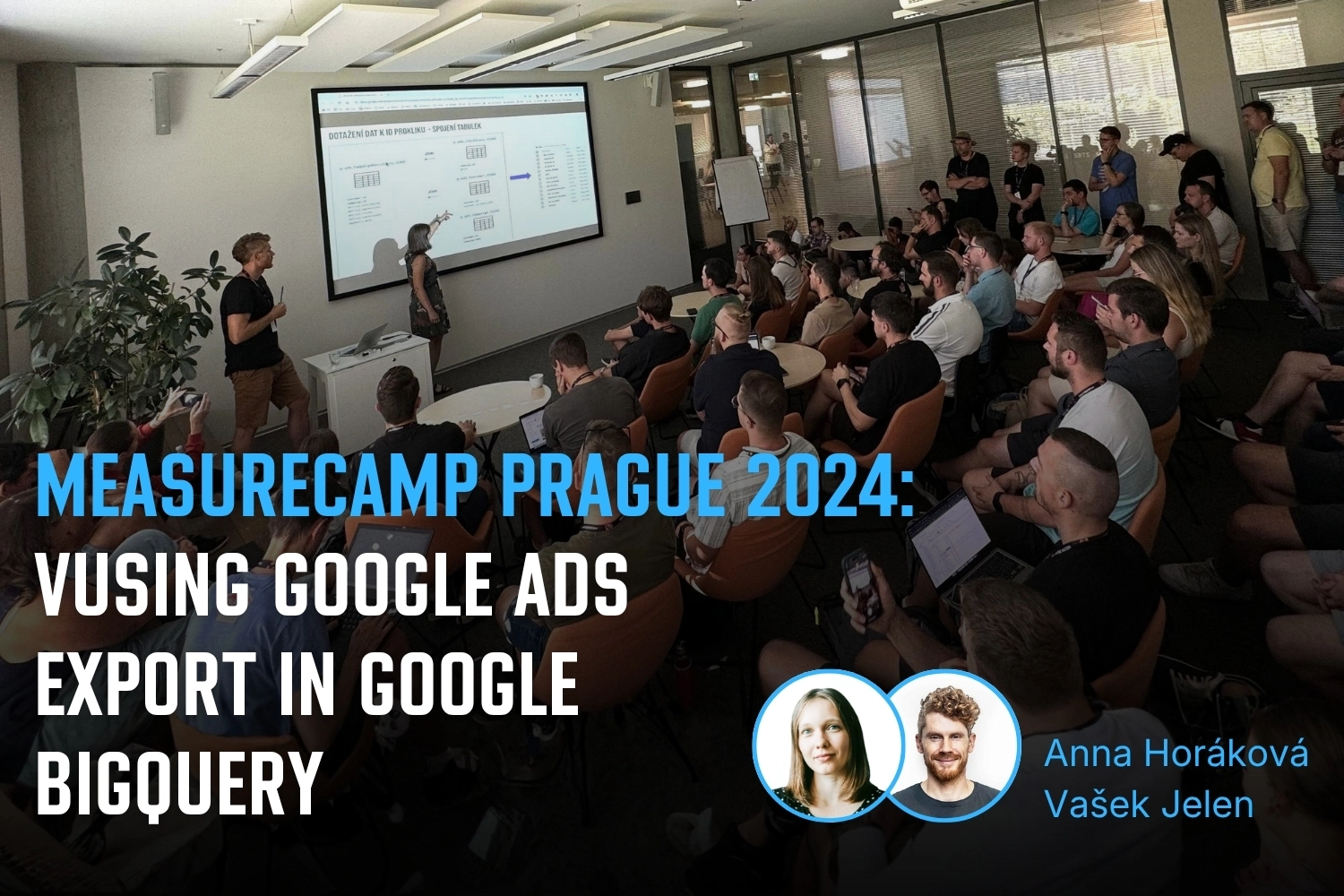
Vašek and Anička presented at MeasureCamp Prague on using Google Ads export in BigQuery, combining it with GA4 and CRM data to solve attribution issues.
Learn how to extend GA4 data retention from 2 to 14 months. Understand what retention affects, how to change settings, and what happens after data expires.
Public webinar on evaluating campaigns using GA4 dataset in Google BigQuery. Featuring Vašek Ráš and Honza Tichý on DBT, SQL queries, and data flattening.
Jana focuses on UX, content and website development at MeasureDesign, making websites clearer and easier to use. She also designs and builds sites for her own clients and values teamwork and finding solutions together.
Vojtěch Černý
IT & Data Developer
Vojta works at MeasureDesign on developing technical and data solutions that are not only functional, but also practical and easy to use. He enjoys combining web development, automation, and data work to create solutions that make sense both from the user’s perspective and in terms of the technical foundations behind them. What he finds most rewarding is turning a more complex problem into a clean and reliable solution.
Jiří Otipka
Analyst
Jirka has been working in marketing for over 10 years, and if there is anything he enjoys more than numbers themselves, it is connecting them. He loves mathematics and data analytics, and thanks to his interest in exploring source code, he can easily communicate with developers in their own language. At MeasureDesign, he specializes in connecting new data sources - building custom connectors in Python, testing data quality, and exploring which data combinations make the most sense from a business perspective. He is completely at home in Looker Studio and also has extensive experience evaluating PPC campaign performance.
Lenka Pittnerová
Analyst
Lenka joined MeasureDesign at the end of 2025, bringing extensive experience from PPC marketing, where she spent many years working with Google Ads, Meta Ads, and other advertising platforms. While managing campaigns, she repeatedly ran into the same issue - poorly set up or insufficient web analytics, which made effective optimization nearly impossible. This challenge initially led her to analytics out of necessity, but over time she discovered that she enjoyed it even more than advertising itself. Today, she focuses primarily on implementing web analytics and data solutions that provide companies with high-quality, reliable data for strategic decision-making and performance marketing. She continues to work on selected PPC projects as well - not only because she still enjoys them, but mainly to stay closely connected to the reality of media platforms and the real needs of clients.
Martina Kvasničková
AI & Data Research
Marťa helps integrate AI into everyday work—making it faster, more efficient, and accessible to every team member. What excites her most is finding practical ways to use AI and turning new technologies into useful tools.
Anna Horáková
Analyst
Anička has over 7 years of experience in the agency world, where she has managed social media ad campaigns for clients, and especially for content-driven websites, her favorite. Wanting to broaden her perspective beyond campaign data, she gradually shifted her focus toward web analytics. She joined our team in 2022 and now specializes in data analytics, using GA4, BigQuery, Looker Studio, and other tools to connect and dig deeper into data — delivering insightful analyses and valuable input for business decisions. Anička was a member of our team until 2026.
Zuzana Mikyšková
Analyst & Co-Founder
Zuzka's career path led her through corporate innovation and research management, running word-of-mouth projects, and later to a digital agency, where she managed website development projects. However, Zuzka is naturally curious and wanted to understand how a website actually works once it is launched into the world. That curiosity led her to study web analytics — and eventually to a key collaboration with Vašek. In 2019, they founded the company together.
Vašek Jelen
Lead Analyst & Co-Founder
Vašek has been working in digital analytics for over 15 years — from setting up tracking to data storage, visualization, and interpretation. He helps companies keep their data in order and make full use of it. He focuses primarily on data from digital platforms such as websites, apps, and client zones, and on connecting that data with other business data like media and customer data. After years of freelancing, he co-founded the analytics studio MeasureDesign, where, in addition to working on analytics projects and bespoke training sessions, he also mentors and educates new analysts.
Blanka Hejduková
Back Office
Blanka joined our team in 2024 and has been responsible for back-office operations, including invoicing and administrative tasks, ever since. She draws on her experience from the Czech Post and her background in financial management to keep everything running smoothly. In her free time, she enjoys traveling with her two children and finds relaxation in working in her garden.
Markéta Svěráková
Analyst
Markéta started out in marketing, but then came maternity leave — and with it, total chaos. In an effort to hold on to the last bits of sanity, she turned to data. After all, numbers don’t yell, spill cereal into your keyboard, and at least they make some sense. She completed a data analytics course at Engeto Academy, where she bonded with SQL, Power BI, Excel, and Python, and started looking for patterns outside the bounds of children’s coloring books. Today, at MeasureDesign, she helps clients understand what their numbers are really saying.
Petra Súkeníková
Analyst
She joined MeasureDesign in 2023, specialising in measurement implementation and reporting. Her favourite moment is when, after all the setup and testing, the first data finally starts flowing in. Her biggest challenge? The unexpected (and often undocumented) changes from Google – those are the times when every analyst turns into a paranormal behaviour expert. 👻 She was a member of our team until summer 2026.
Klára Belzová
Analyst
Klára has been with the company since 2019. She focuses mainly on web analytics but is not afraid to dive into data work in BigQuery. What she enjoys most is guiding clients through the entire process — from defining their needs to implementing tracking and creating the final data visualizations.
She gets an almost suspicious amount of joy from a clean and well-organized GTM container or a report full of useful data.