What to Watch Out for When Setting Up a Google Cloud Project
Blog Post
21/9/2026
What to Watch Out for When Setting Up a Google Cloud Project
Setting up a Google Cloud project takes just a few minutes. But basic guides leave out some important details. Here’s what to watch out for with project ownership, the free trial, and billing roles to avoid unnecessary problems later.
Connecting GA4 to BigQuery is now the starting point for most analytics projects. Setting up the project itself only takes a few minutes, and there are plenty of guides on how to do it. This article is about something else – a few important details that basic guides don’t cover, but that can save you either an unpleasant surprise three months down the road or a few hours of figuring out why something isn’t working. It’s based on our internal methodology at MeasureDesign, fine-tuned across several client projects.
Before You Even Create the Project: Which Identity Should It Belong To?
The first decision comes before you even click “Create project”, and it’s easy to dismiss it as a purely administrative detail. But it has a direct impact on whether your project could one day disappear on you.
GCP resources are organized into a hierarchy: Organization → Folder → Project → Resource (dataset, bucket, function…). The organization is the highest level and is closely tied to a Google Workspace or Cloud Identity account. An important mechanism to understand: when a user with a Workspace or Cloud Identity account creates a project, an organization is created automatically, and all subsequent projects created by members of that domain belong to it by default.
Why you want this – and why it’s not just a formality:
The project belongs to the organization, not to the person who created it. This is crucial. If a project is created under a specific person’s personal account and that person leaves (the company or the collaboration) or deletes their account, the project can disappear with them. Under an organization, the project survives independently of individual users – its lifecycle is tied to the organization, not to an employee. For anything that needs to run long-term, this is the difference between stable infrastructure and one big mess.
Centralized management. An organization lets you manage policies, roles, and structure in one place and have them cascade down the hierarchy instead of having every project live completely independently.
And here’s a common practical problem: what if you’re setting up a project for someone who doesn’t have Workspace or Cloud Identity? Without either of them, no organization is created and the project would remain under a personal account. Here’s the solution we use: create the project under a regular Gmail account – if we created it using our @measuredesign.cz accounts, the project would be assigned to our organization. Then use IAM to add the intended owner (the client) as an Owner and, if necessary, remove yourself as an owner. This moves the project under the right identity, while you keep only the role you actually need.
Take-away: before creating a project, decide which identity it should belong to in the long run. If a Workspace/Cloud Identity organization exists (typically if you use Gmail with your own domain, i.e. Google Workspace), create the project so that it falls under that organization. If not, keep in mind that a project created under a personal account is fragile, and transfer ownership to a permanent identity as soon as possible. A project tied to a single personal account is the kind of risk you tend to discover at the worst possible moment.
Right After Setup: The Trial That Quietly Expires
Once your project is set up, this is the first thing you should do. It’s also the most common silent trap in the entire setup.
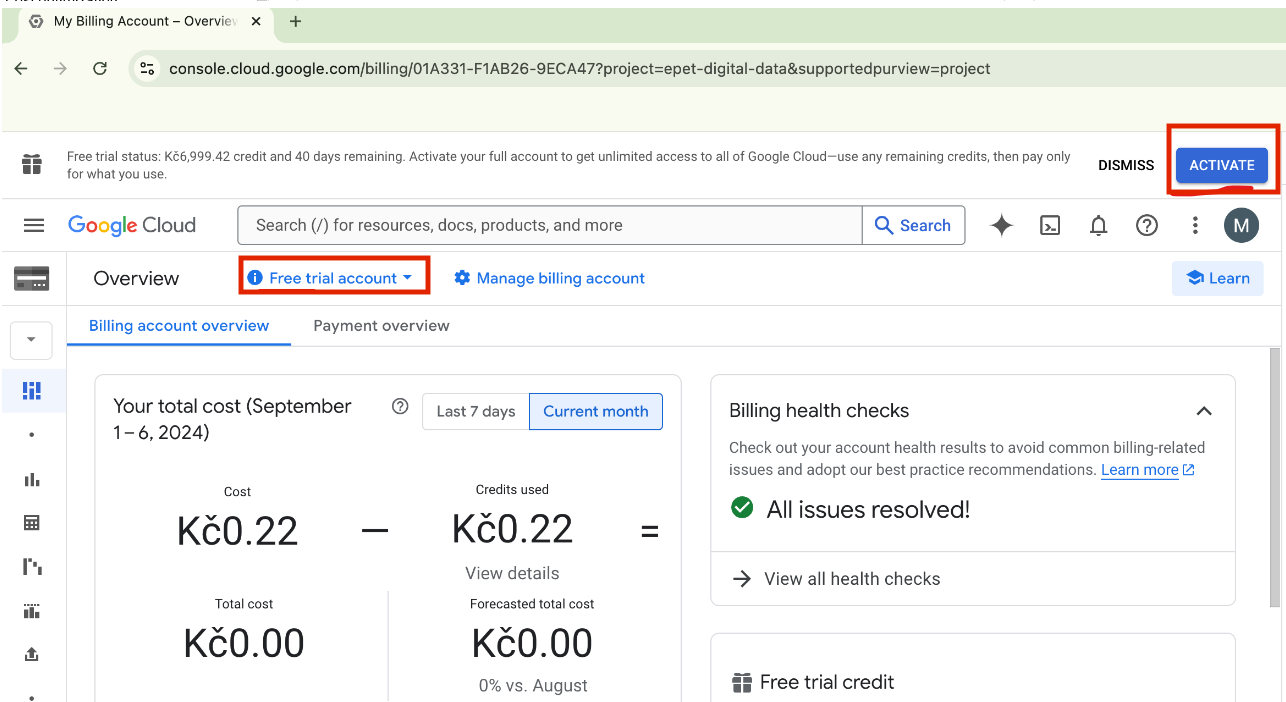
Every newly created GCP account automatically starts in the trial version – a 90-day trial period with free credits. Sounds harmless. Here’s the catch: Here’s the catch: even if a payment card is linked to the account, the account won’t automatically switch to the paid version when the trial expires. You have to do it manually.
And what happens if you don’t? The project won’t cease to exist, but automated services will stop working – scheduled queries, log sinks, transfers, scheduled jobs. And they’ll do so quietly. Don’t expect a warning notification. One morning, the data simply won’t arrive and you’ll start looking for the problem – in the SQL, the connector, the permissions – before it occurs to you to check the billing status.
Take-away: switch the project to the paid version immediately after setting it up (even on day one – don’t wait until the 90 days are up). Once you sign in, you’ll see a banner at the top indicating that you’re in trial mode, with an Activate / Upgrade button – one click and a confirmation. The banner disappears. You can switch at any point during the trial, so there’s no reason to put it off. Just keep in mind that you need a role that allows you to modify billing, which is a separate topic (see below).
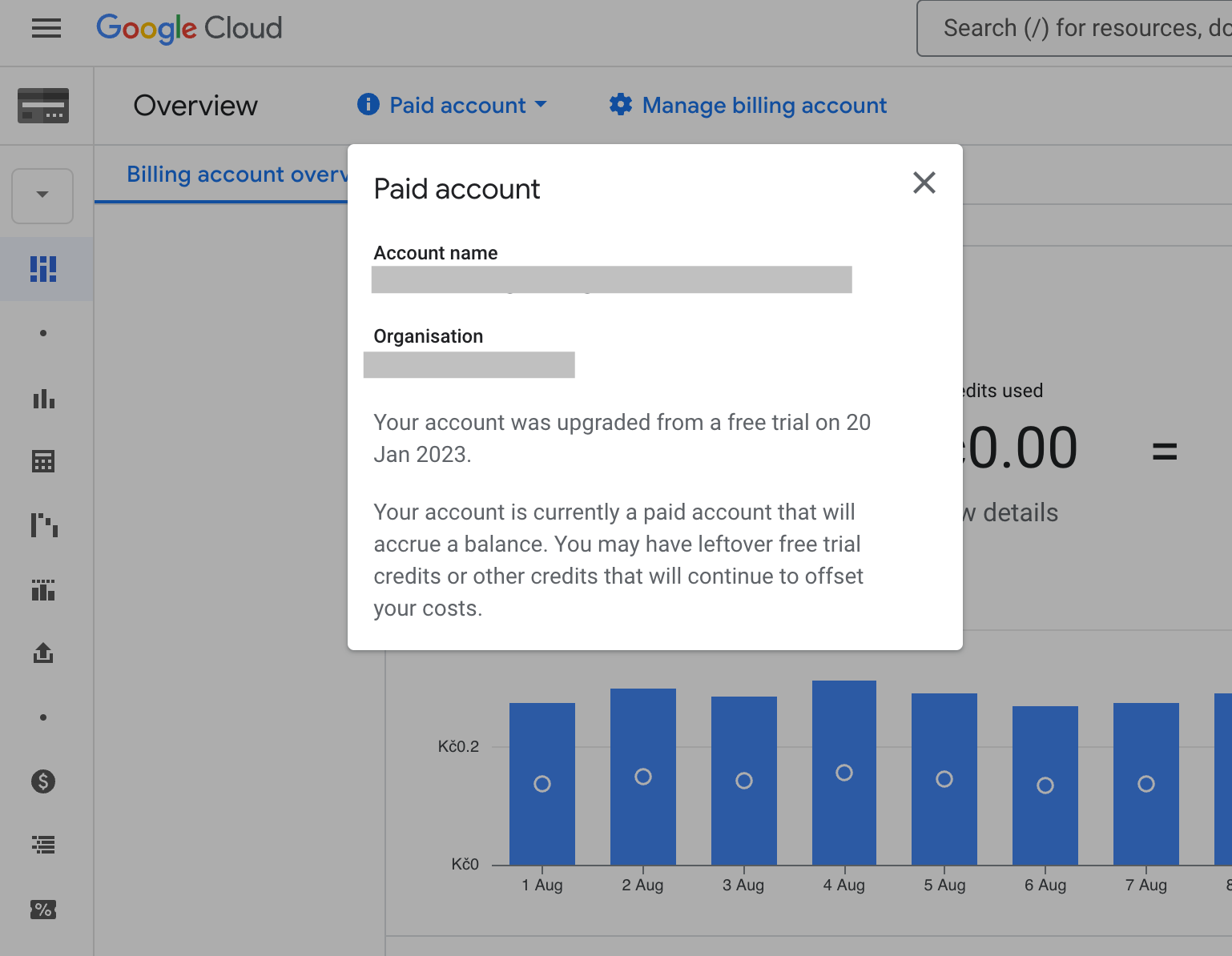
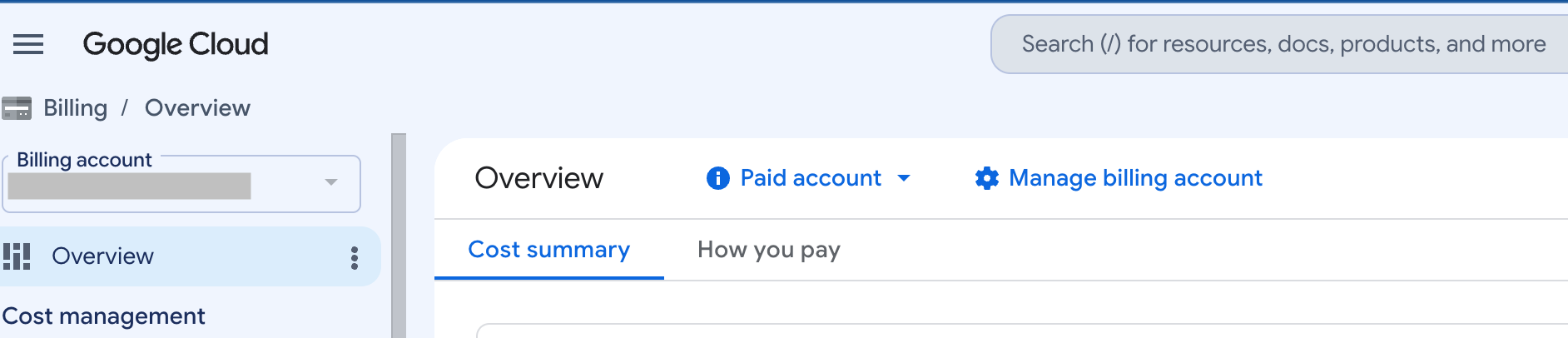
You can also check whether the project is in paid mode under Overview in the linked billing account.
Billing Roles Are Not Project Roles
This one will catch you exactly when you’re trying to switch from the trial.
In GCP, project roles ≠ billing account roles. They are two separate sets of permissions managed in two different places. You may have the Editor or even Owner role on the project and think you have access to everything. But billing is separate. Without an explicit billing role, you:
can’t switch the project from the trial to the paid version (see above),
can’t access the cost dashboard (so you can’t see how much the project costs),
can’t set up budget alerts.
The billing roles that matter in practice are:
roles/billing.viewer – read-only access to cost information (you always want this so you can see what everything costs)
roles/billing.user – lets you link/unlink a billing account to/from a project
roles/billing.admin – lets you manage the billing account; this is typically held by the account owner (usually the client on client projects), and you don’t need to have it
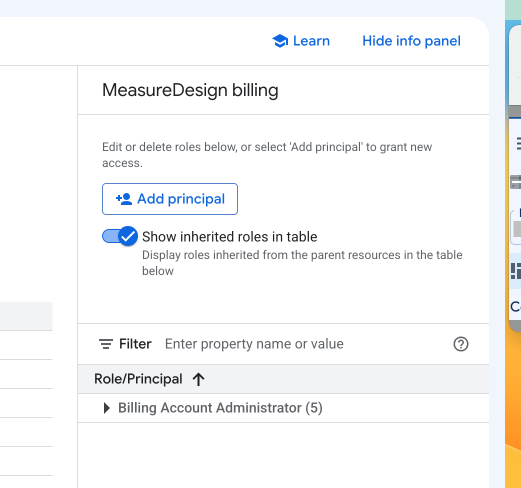
You can configure everything either via the command line (gcloud CLI) or by going to the assigned billing account (https://console.cloud.google.com/billing) → Manage billing account.
On the right-hand side, there’s an easy-to-miss Show info panel button.
Clicking it opens a panel showing the current access permissions and an option to add a new user (Add principal), just like in IAM & Admin.
Takeaway: make sure you have billing roles on the billing account, not just project roles on the project. These are two different places, and it’s easy to end up with full access to the project but no access to costs or billing activation. If someone else creates and manages the project (a client, IT department, or colleague), explicitly ask for the billing roles when requesting access – they’re often forgotten, and sorting them out later means another round of access requests. If you manage the project yourself, check that you have the billing roles you need before you discover that you can’t see costs or switch from the trial.
What’s Next: Without Alerts, You Won’t Know About Problems in Time
The common denominator of almost all the pitfalls covered in this article is that you either don’t find out about them in time or don’t find out at all. The trial expires quietly, automations stop quietly, transfers fail quietly. Your project can be set up perfectly, and you can still wake up one morning to find that data is missing somewhere. A properly built setup therefore doesn’t end with roles and billing, but with monitoring and alerting: a layer that lets you know before a client or colleague asks why yesterday’s data is missing from the reports.
In practice, there are two things to monitor – whether services are running (a transfer failed, a Cloud Function crashed, a scheduled job didn’t run) and whether the data makes sense (the number of events unexpectedly dropped, a source stopped sending data, values deviate from the norm). Both can be set up relatively easily in GCP without any additional infrastructure. We cover this topic in a separate series on monitoring and alerting, where we look at how to monitor both services and data quality and how to receive email alerts so you can deal with issues early.
Summary: First Steps When Setting Up a GCP Project
To sum it up in the order you’ll go through these steps with a new project:
Decide which identity the project should belong to in the long run – ideally an organization, not a personal account that could disappear. This is something to sort out before creating the project.
Switch from the trial to the paid version right away – don’t wait until the end of the 90 days. Otherwise, one day your automations will stop automating.
Check your billing roles on the billing account, not just your project roles. Without them, you won’t be able to see costs or switch billing.
None of these points is complicated on its own. But each of them is something you tend to run into only once something stops working or an unexpected problem comes up – and by then, it costs you time digging through extensive documentation or frustration with AI, which tends to make quite a lot of things up in cases like these. Going through them at the beginning takes a few minutes and will save you headaches later.
Who is behind the article
Anna Horáková
Analyst
Anička worked in data analytics at MeasureDesign, connecting data with GA4, BigQuery and Looker Studio. She was part of our team until 2026.
Setting up a Google Cloud project takes just a few minutes. But basic guides leave out some important details. Here’s what to watch out for with project ownership, the free trial, and billing roles to avoid unnecessary problems later.
Working on the go has its benefits, but also a few practical challenges. I’m sharing the setup I’ve fine-tuned over the years that lets me work comfortably from anywhere – from connectivity and a second monitor to ergonomics.
What should a PPC specialist know about analytics and data collection? In our workshop for uLab, we covered the entire chain, from the technical components of tracking and media platforms to collecting and activating first-party data.
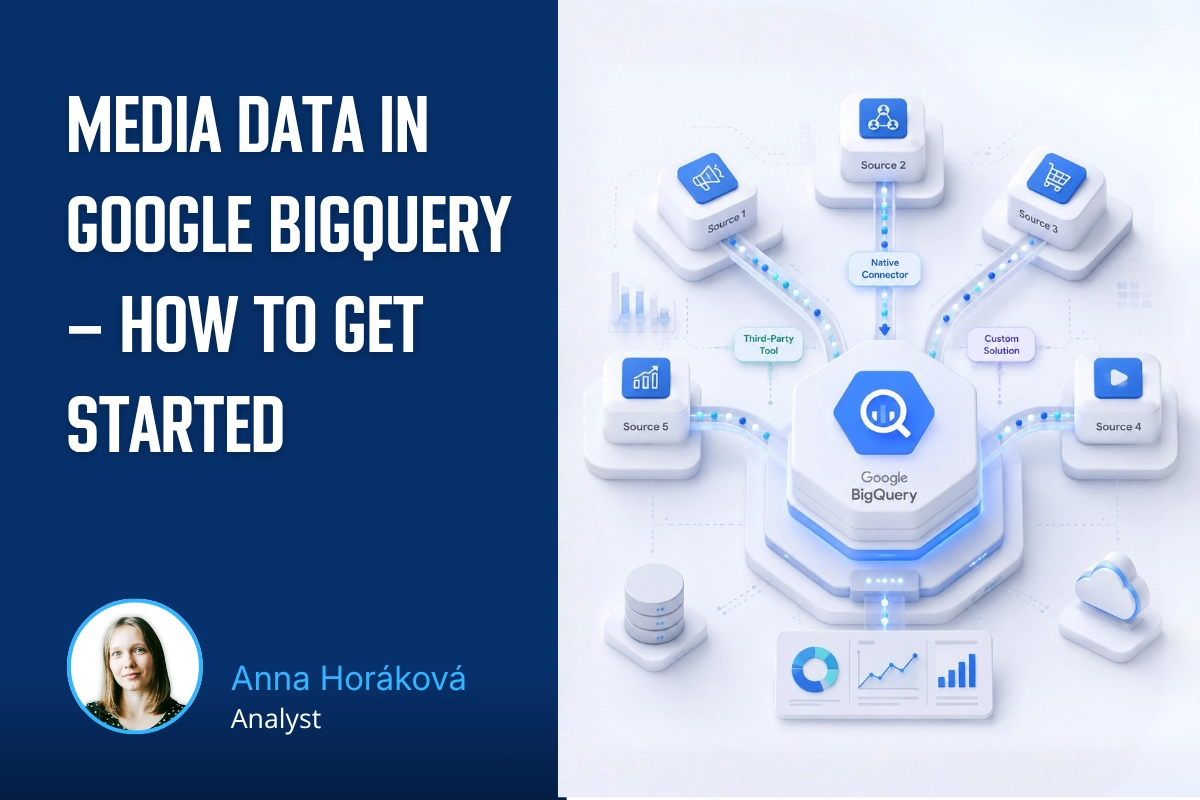
How do you get data from multiple ad platforms into a single data warehouse, typically BigQuery? We’ll walk through the core architecture and key decisions before you start exporting data from Google Ads, Meta Ads, Sklik, and other platforms.
Part 3 of our first-party data series gets technical again – we'll show you how to check that data is correctly reaching each system and doing what it should. We'll look at outgoing hits in DevTools and at checks directly in the ad platforms.
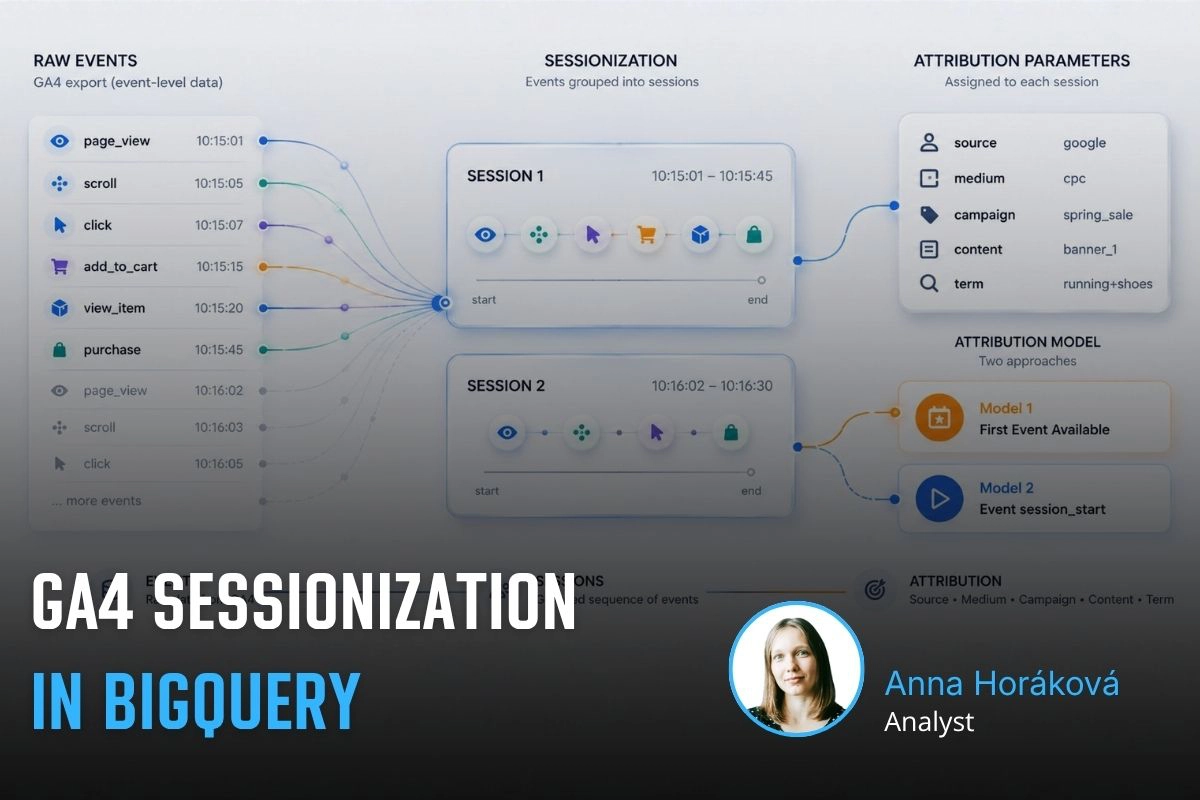
A detailed guide to sessionizing the GA4 BigQuery export — from identifying sessions and reliably ordering events to two attribution models (First Event Available and Session Start), their limitations, and validating agreement between them.
Learn how to deploy server-side tracking on Google Cloud Run. Compare Stape vs Cloud Run, configure load balancers, choose billing types, and test your setup.
Complete technical guide to collecting first-party data via dataLayer, normalizing, hashing, and sending through server-side GTM to Google Ads and Meta.
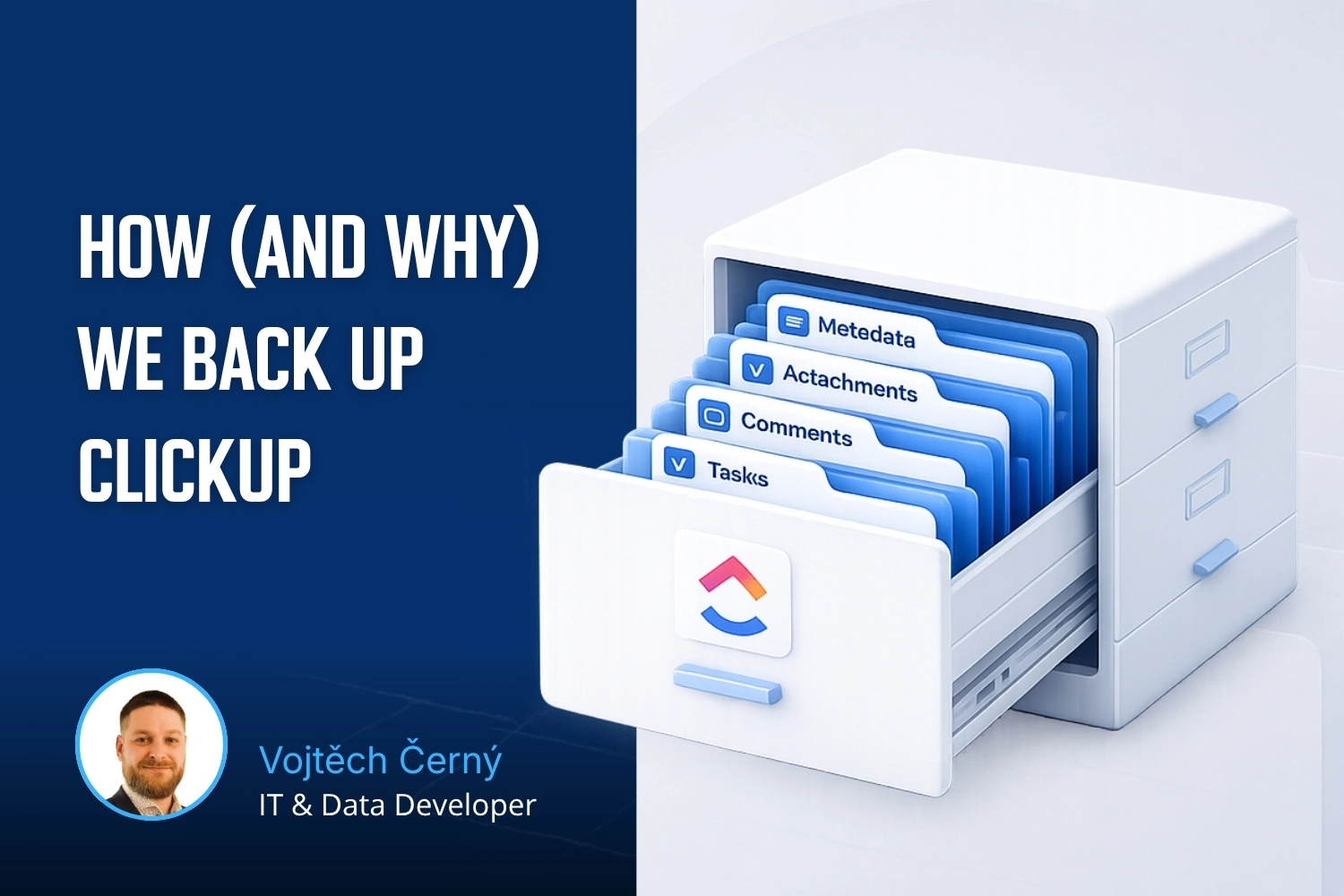
Testing ClickUp MCP: hands-on experience with AI-powered automation, security concerns with access tokens, practical limitations, and who should use it.
Learn how first-party data improves campaign performance, measurement accuracy, and cross-device tracking. Discover practical ways to collect and use it.
Workshops on advanced digital analytics: BigQuery, cookieless tracking, consent, attribution, and building data warehouses for reporting and activation.
Why analytics is an excellent career for women, including those returning from maternity leave. A personal story about transitioning into data analytics.
A look back at Reshoper - advising e-shop owners on tracking and measurement, plus a roundtable on marketing automation with insights on self-hosted N8N.
From Idea to App in 48 Hours 🚀 Building AI-powered apps at #HackYourWeekend using Claude Code, tracking with BigQuery, and lessons from team development.
Recap of PPC Camp: my presentation on legally measuring data without user consent - cookieless tracking, sGTM, BigQuery, Facebook conversions, and Advanced Consent Mode risks.
Ready-to-use BigQuery SQL script to calculate Easter dates (2024-2100) using Computus algorithm. Perfect for filtering GA4 data and analyzing seasonal trends.
GA4 + BigQuery in practice: connecting analytics, CRM & media data, real-world use cases from IKEA, Shoptet, McDonald's & Česká spořitelna, and what it unlocks for marketing.
Vašek and Anička presented at MeasureCamp Prague on using Google Ads export in BigQuery, combining it with GA4 and CRM data to solve attribution issues.
Learn how to extend GA4 data retention from 2 to 14 months. Understand what retention affects, how to change settings, and what happens after data expires.
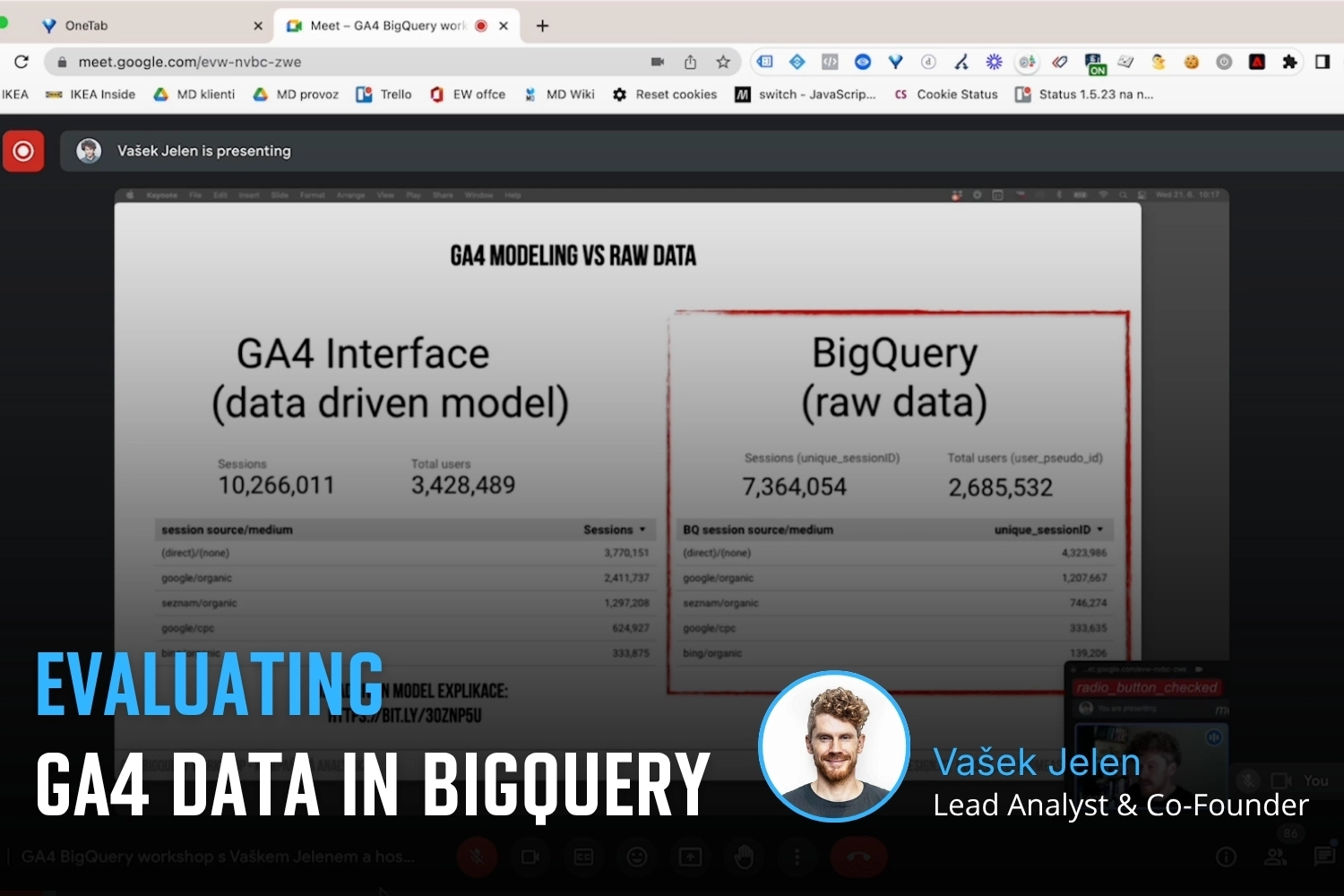
Public webinar on evaluating campaigns using GA4 dataset in Google BigQuery. Featuring Vašek Ráš and Honza Tichý on DBT, SQL queries, and data flattening.
Jana focuses on UX, content and website development at MeasureDesign, making websites clearer and easier to use. She also designs and builds sites for her own clients and values teamwork and finding solutions together.
Vojtěch Černý
IT & Data Developer
Vojta works at MeasureDesign on developing technical and data solutions that are not only functional, but also practical and easy to use. He enjoys combining web development, automation, and data work to create solutions that make sense both from the user’s perspective and in terms of the technical foundations behind them. What he finds most rewarding is turning a more complex problem into a clean and reliable solution.
Jiří Otipka
Analyst
Jirka has been working in marketing for over 10 years, and if there is anything he enjoys more than numbers themselves, it is connecting them. He loves mathematics and data analytics, and thanks to his interest in exploring source code, he can easily communicate with developers in their own language. At MeasureDesign, he specializes in connecting new data sources - building custom connectors in Python, testing data quality, and exploring which data combinations make the most sense from a business perspective. He is completely at home in Looker Studio and also has extensive experience evaluating PPC campaign performance.
Lenka Pittnerová
Analyst
Lenka joined MeasureDesign at the end of 2025, bringing extensive experience from PPC marketing, where she spent many years working with Google Ads, Meta Ads, and other advertising platforms. While managing campaigns, she repeatedly ran into the same issue - poorly set up or insufficient web analytics, which made effective optimization nearly impossible. This challenge initially led her to analytics out of necessity, but over time she discovered that she enjoyed it even more than advertising itself. Today, she focuses primarily on implementing web analytics and data solutions that provide companies with high-quality, reliable data for strategic decision-making and performance marketing. She continues to work on selected PPC projects as well - not only because she still enjoys them, but mainly to stay closely connected to the reality of media platforms and the real needs of clients.
Martina Kvasničková
AI & Data Research
Marťa helps integrate AI into everyday work—making it faster, more efficient, and accessible to every team member. What excites her most is finding practical ways to use AI and turning new technologies into useful tools.
Anna Horáková
Analyst
Anička has over 7 years of experience in the agency world, where she has managed social media ad campaigns for clients, and especially for content-driven websites, her favorite. Wanting to broaden her perspective beyond campaign data, she gradually shifted her focus toward web analytics. She joined our team in 2022 and now specializes in data analytics, using GA4, BigQuery, Looker Studio, and other tools to connect and dig deeper into data — delivering insightful analyses and valuable input for business decisions. Anička was a member of our team until 2026.
Zuzana Mikyšková
Analyst & Co-Founder
Zuzka's career path led her through corporate innovation and research management, running word-of-mouth projects, and later to a digital agency, where she managed website development projects. However, Zuzka is naturally curious and wanted to understand how a website actually works once it is launched into the world. That curiosity led her to study web analytics — and eventually to a key collaboration with Vašek. In 2019, they founded the company together.
Vašek Jelen
Lead Analyst & Co-Founder
Vašek has been working in digital analytics for over 15 years — from setting up tracking to data storage, visualization, and interpretation. He helps companies keep their data in order and make full use of it. He focuses primarily on data from digital platforms such as websites, apps, and client zones, and on connecting that data with other business data like media and customer data. After years of freelancing, he co-founded the analytics studio MeasureDesign, where, in addition to working on analytics projects and bespoke training sessions, he also mentors and educates new analysts.
Blanka Hejduková
Back Office
Blanka joined our team in 2024 and has been responsible for back-office operations, including invoicing and administrative tasks, ever since. She draws on her experience from the Czech Post and her background in financial management to keep everything running smoothly. In her free time, she enjoys traveling with her two children and finds relaxation in working in her garden.
Markéta Svěráková
Analyst
Markéta started out in marketing, but then came maternity leave — and with it, total chaos. In an effort to hold on to the last bits of sanity, she turned to data. After all, numbers don’t yell, spill cereal into your keyboard, and at least they make some sense. She completed a data analytics course at Engeto Academy, where she bonded with SQL, Power BI, Excel, and Python, and started looking for patterns outside the bounds of children’s coloring books. Today, at MeasureDesign, she helps clients understand what their numbers are really saying.
Petra Súkeníková
Analyst
She joined MeasureDesign in 2023, specialising in measurement implementation and reporting. Her favourite moment is when, after all the setup and testing, the first data finally starts flowing in. Her biggest challenge? The unexpected (and often undocumented) changes from Google – those are the times when every analyst turns into a paranormal behaviour expert. 👻 She was a member of our team until summer 2026.
Klára Belzová
Analyst
Klára has been with the company since 2019. She focuses mainly on web analytics but is not afraid to dive into data work in BigQuery. What she enjoys most is guiding clients through the entire process — from defining their needs to implementing tracking and creating the final data visualizations.
She gets an almost suspicious amount of joy from a clean and well-organized GTM container or a report full of useful data.