First-party data in online advertising, part 1: How it works and why it improves campaign performance
Learn how first-party data improves campaign performance, measurement accuracy, and cross-device tracking. Discover practical ways to collect and use it.
The cookie apocalypse and the many other attempts at coming up with an original name for the end of third-party cookies in Google Chrome thankfully stopped haunting our LinkedIn feeds sometime in early 2024. What it did do, however, was spark an industry-wide conversation about working with first-party data . That is proving to be a key step toward better measurement and stronger campaign performance today.
The panic around the so-called “dark ages” brought one unexpected benefit: companies started working systematically with their own data and user identification, which opened the door to more accurate and more robust measurement. Paradoxically, we moved away from relying on anonymous or pseudonymous third-party IDs (random strings of characters with no context) and toward a model where we work with real user identifiers instead, such as email addresses or phone numbers (albeit hashed). That makes it possible to match users across devices more effectively, send offline conversions, and measure performance across systems.
Google had actually been warning about dependence on third-party cookies for at least three years. In 2021, it introduced enhanced conversions for the first time in order to improve conversion and user measurement and begin preparing for the planned phase-out (for context: Facebook had already been receiving user data through its pixel back in 2016). That phase-out was eventually postponed, and right now it looks like it may never happen at all. Even so, enhanced conversions still help improve data quality in Google Chrome campaigns and also solve measurement issues in browsers that have been blocking third-party cookies for a long time already.
As a result, virtually every advertising platform that collects data from websites now offers some way of accepting user data to improve measurement quality.
What is first-party data?
In digital marketing, data can be categorized according to who collects it.
First-party data is such that you collect directly yourself — on your website, in your app, or for example in your CRM. A user knowingly provides it to you during registration, purchase, or form submission. Typically, this includes an email address, phone number, full name, or address.
Unlike third-party data, which is collected for example by the operator of an advertising platform, you have full control over first-party data and, when handled properly, the legal basis to use it.
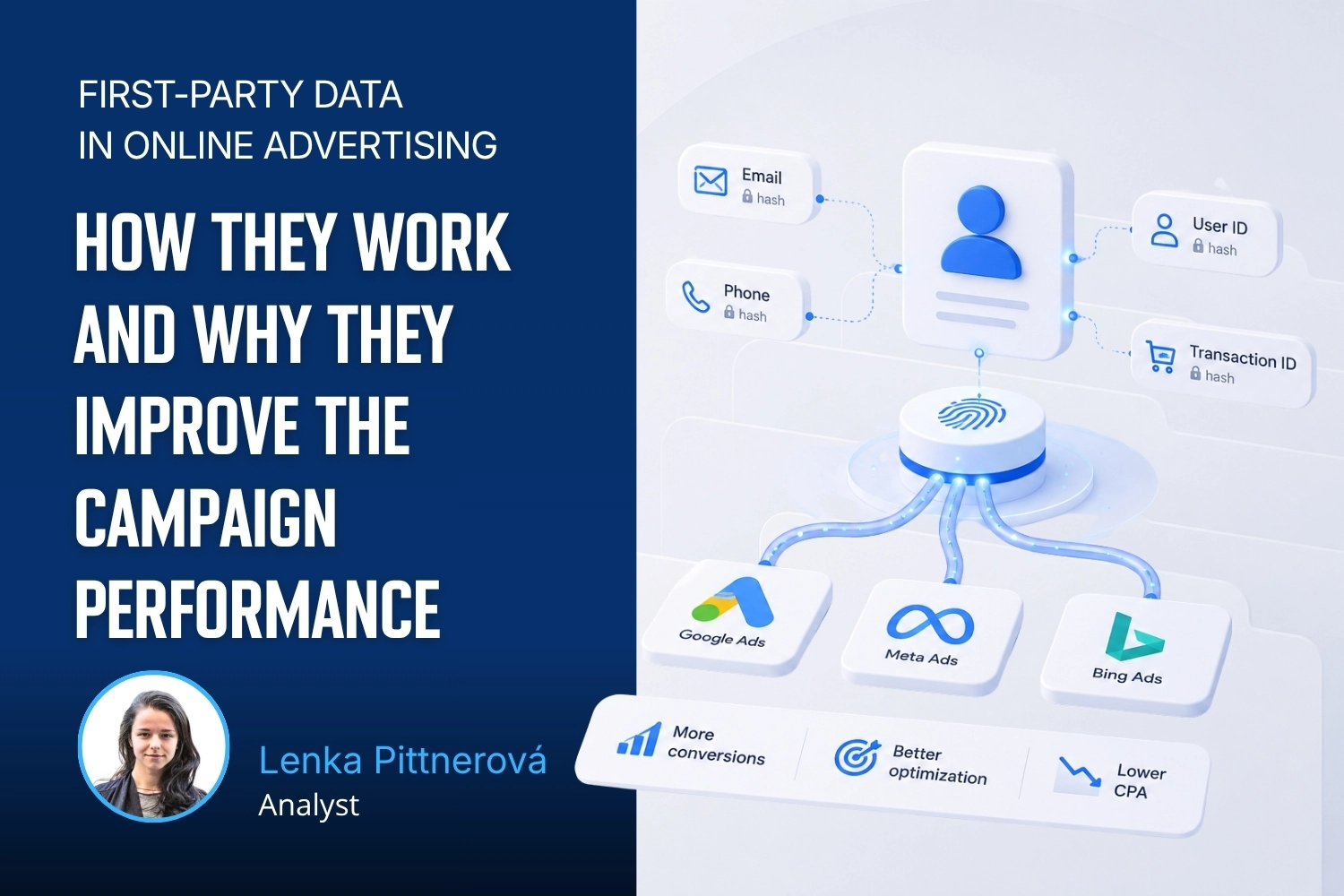
That is exactly the kind of data advertising platforms want today. Each one has simply given it a different name: Google Ads calls it enhanced conversions, Meta uses advanced matching, Bing Ads uses universal event tracking with customer data, while X Ads and Reddit Ads have their own variants usually inspired by Meta.
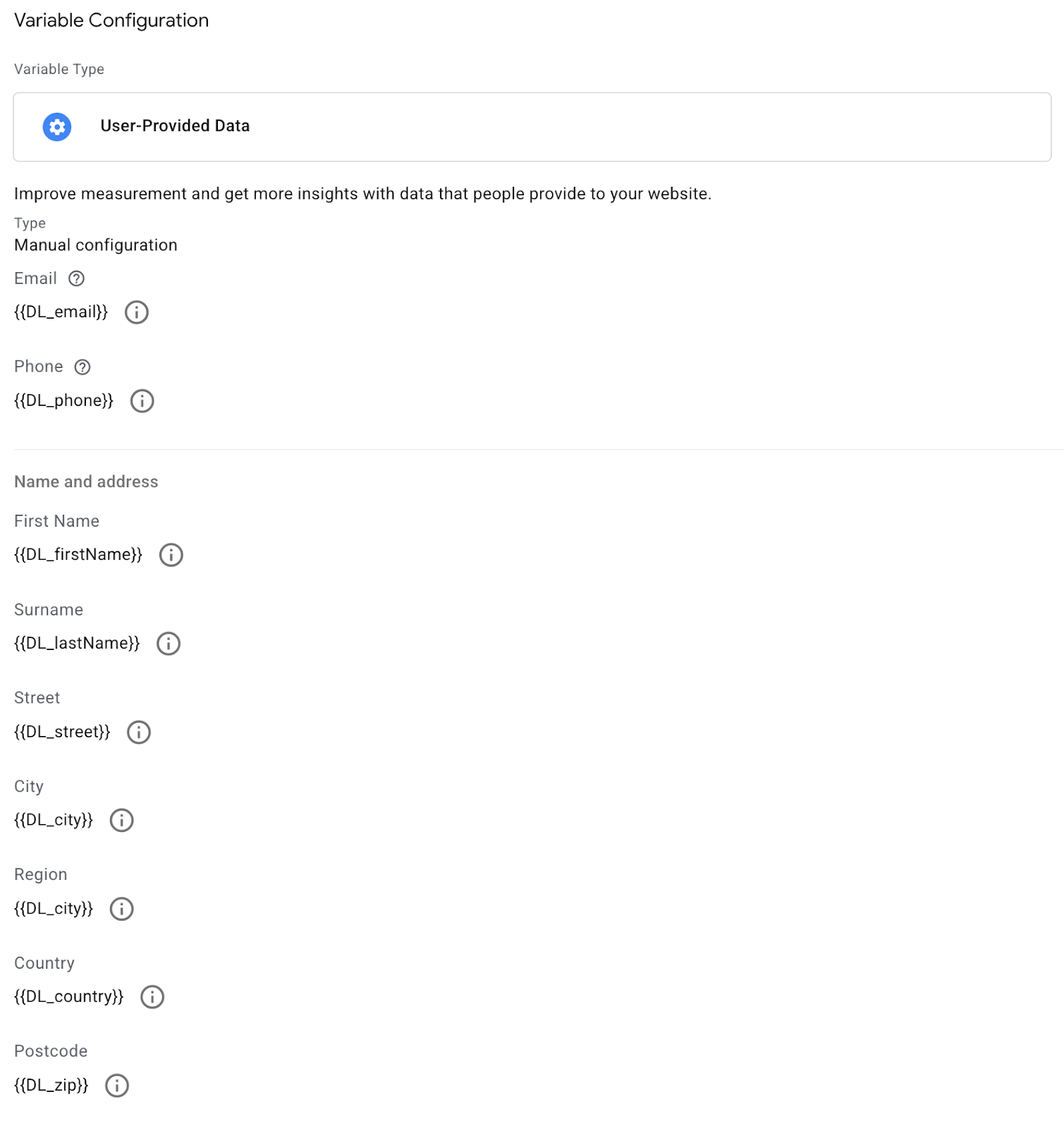
This is what a user data object can look like in a Google Tag Manager “User-provided Data” variable, structured in the way Google accepts.
Behind the different names, though, the principle is always the same. By properly adjusting and extending the measurement script, this data can be passed securely and in a controlled manner into advertising accounts. The platform can then use it either to recover conversions from ads more accurately or to match the user with its own user profile stored in its systems. Naturally, all of this is supposed to happen with respect for user consent. At least that is what they say.
Where do I get it?
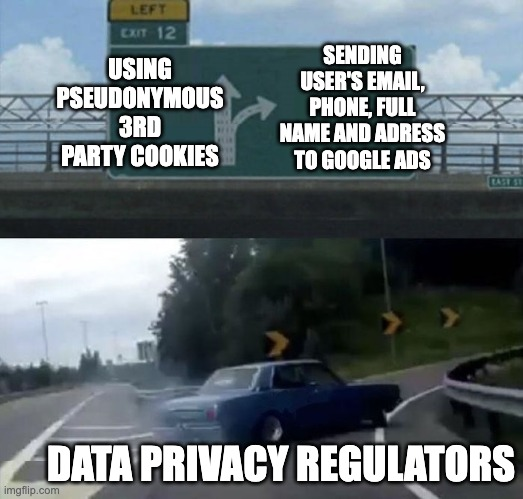
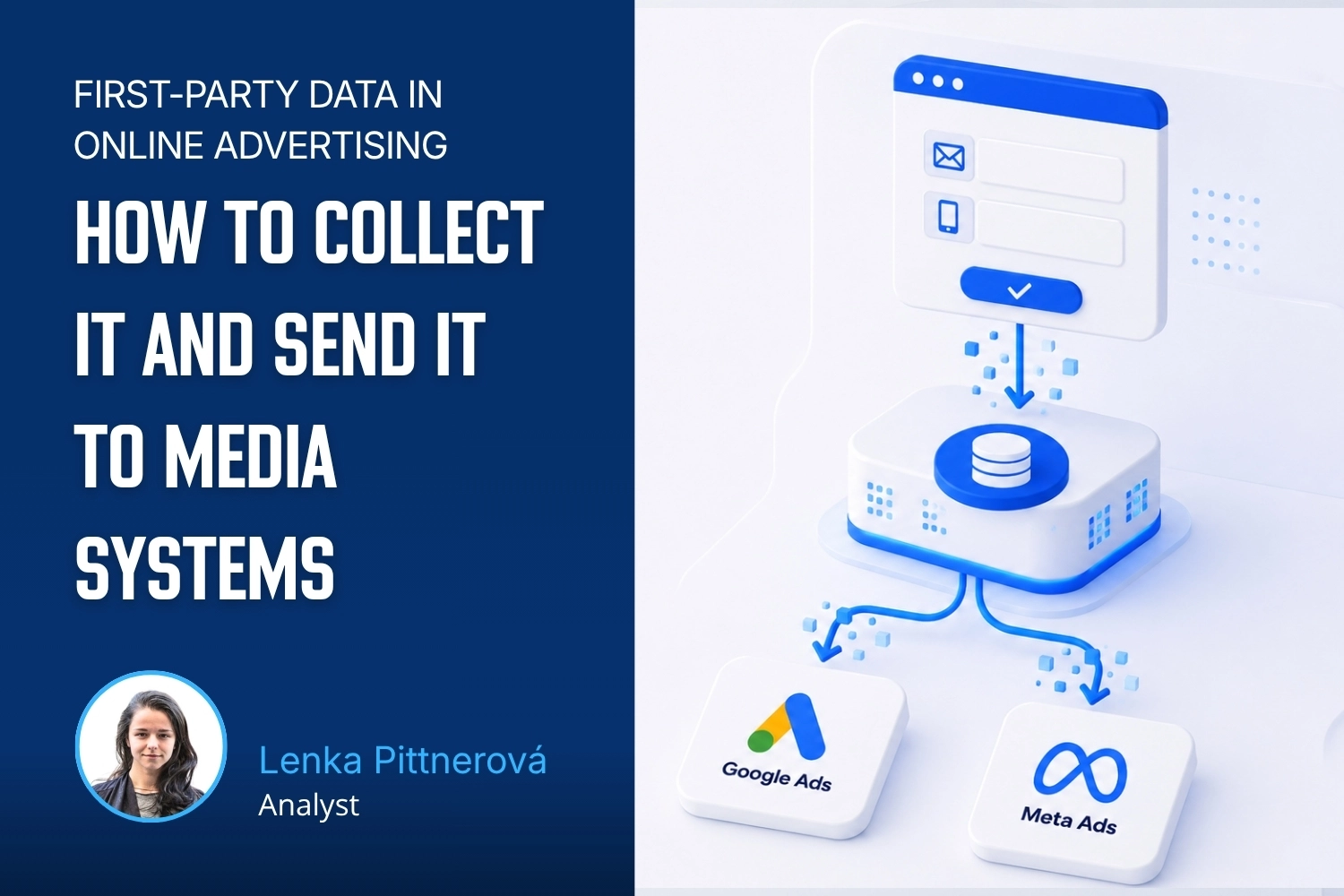
User data is created either on the frontend or in a CRM, and media platforms can be “fed” both directly from the website and through CRM imports (already enriched with CRM segmentation for example). For now, let’s focus on data created on the website frontend when a user interacts with the site or app — for example when they fill out a contact form, register, or make a purchase. As the provider of a service or an online store, you need this data to deliver your service to the user. But that does not automatically give you the right to send that email address to a third party — which is exactly what sending enhanced conversions to Google Ads is.
However, if the user gives you consent to pass their personal data to a third party (provided this is stated in your data processing terms and the user agrees to those terms either during the conversion or through interaction with the cookie banner), you may store the identifiers they entered and pass them on. For example to Google Ads.
Example of a data layer object containing the user’s first-party data.
What is it for and how does it work?
User data allows the platform to assign an event to a specific user.
Without user identifiers, events and their measurement rely on cookies or device IDs, which are becoming less and less reliable. User data provides a more persistent link, especially across devices or browsers.
“The first-party data you already have is matched with signed-in Google accounts that engaged with your ads. When a match happens, a conversion is recorded.” Source: https://support.google.com/google-ads/answer/12284070#3
Long story short: when you send a purchase event together with an email address, Google assigns it to the correct user already present in its database (for example because that person has a Gmail account). This allows Google to attribute more conversions to a specific ad click, even when the user clicks the ad on their phone and later purchases on desktop, or when measurement happens across multiple domains.
Imagine Jaroslav. He is signed in to Google as jaroslav@gmail.com and searches for
„blue monster“. He sees an ad for a book on bookstore.cz and clicks it.
At that moment, Google records something like this in his user profile: “Clicked an ad with gclid=XXXXXXXXXX.”
Jaroslav browses the website, leaves, and later that evening visits bookstore.com
directly on his phone and buys the book.
If the operator of bookstore.cz sends an enhanced conversion to Google Ads together with the purchase (that is, including the email
jaroslav@gmail.com), the system connects the original ad click information with the email
from the purchase and attributes that purchase to the ad.
By the way, Google has one more use for user identifiers: Enhanced Conversions for Leads. This is an enriched version of offline import that makes it possible to send conversions to Google Ads even when they happen or are completed off the website.
When should you send it?
User data should primarily be sent with conversion events such as purchases, registrations, or lead form submissions. First, because these are usually the moments when the website operator obtains the user’s personal data. And second, because these are usually the main conversions used to measure business goals. That said, user data can also be sent with every other event, including page_view, as long as it is available.
So it depends on what kinds of data collection opportunities you create on your website. Here are a few tips that actually work in practice:
Newsletter signup is the most common option. You can place the signup form in the footer, at the end of an article, or as a pop-up.
Offer an ebook or another valuable lead magnet (guide, template, checklist) in exchange for an email address. This works especially well on educational websites and blogs.
Community or forum registration brings in data naturally. The user wants access to content or discussion, so the motivation to register is already there.
A loyalty program or customer account is a typical tool for e-commerce. The user registers to track orders or get discounts.
A webinar or other online event requires registration, so you collect data even before the actual conversion happens.
A calculator or another interactive tool where the user enters input data and receives the result by email. This is popular, for example, with mortgage calculators or custom product configuration tools.
The more of these touchpoints you have on your website, the higher the share of visitors you will be able to match, and the more accurate the data you send to advertising platforms will be.
Facebook Pixel prefers sending personal data with every conversion event (including page_view), while Google Ads focuses mainly on primary conversions and does not require an email address for page_view.
Why should I do it, and what do I get out of it?
The most straightforward answer is: you get more conversions in your account. Not because more conversions suddenly happened in the real world, but because the system starts attributing them to your ads correctly. Jaroslav from the previous example bought the book and the ad gets credit for it. Without enhanced conversions, that purchase would simply be missing from the account, and you might throw the campaign away as unprofitable.
That means that platform algorithms are working with more accurate data in practice. Google, Meta, and others optimize campaigns based on conversion signals. The more of them they have, and the more accurate they are, the better they can target, the lower the cost per conversion, and the less money gets wasted. This is not a band-aid for a bad product. It is a simple principle: better input gives better output.
The second benefit is cross-device and cross-browser measurement. If a user clicks an ad on a mobile device but later purchases on desktop via Safari (where third-party cookies do not work), that purchase is effectively invisible to your ad account. With user data, the system can reliably find and match it.
The third benefit is resilience to future measurement changes. Third-party cookies may not disappear from Chrome after all, but Safari has been blocking them for years, Firefox as well, and the share of users on those browsers is far from negligible. And no one knows what is coming a year or two from now. First-party data is under your control, not Google’s or Apple’s.
And then there is one more important benefit: feedback on lead quality. You can send offline conversions to Google Ads as well through Enhanced Conversions for Leads. In other words, the information on whether a lead ultimately turned into a real customer and for how much. The algorithm then stops chasing cheap leads and starts looking for the ones that actually turn into revenue. Which is exactly what you want from campaigns.
A few numbers to close with
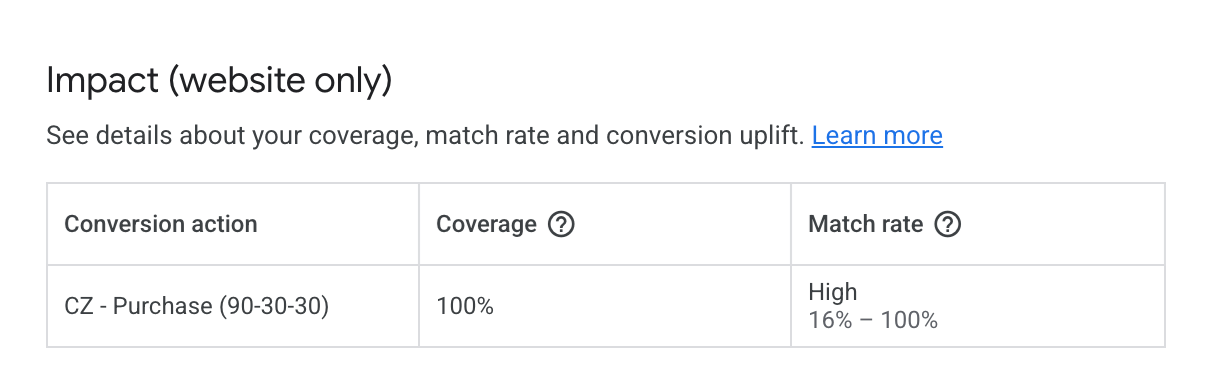
The effect of implementing this kind of data transfer into advertising systems cannot be quantified in general terms of course. It will vary from one type of business to another. The technical implementation of consent mode also plays a role - or rather, how high a consent rate you are able to obtain from your customers and visitors. Still, for illustration, here are a few figures from a larger client where enhanced conversions were implemented for Google Ads. Within a single month, the number of recovered conversions increased by roughly 10% in Search campaigns and 15% in YouTube campaigns. At the same time, CPA dropped by around 17% thanks to improved targeting.
If you have a form, registration flow, or e-commerce store on your website, you already have everything you need. You just need to connect it properly - and that is exactly what we will look at in the next articles in this series.
Who is behind the article
Lenka Pittnerová
Analyst
Lenka brings PPC expertise to web analytics and data solutions, helping companies gain reliable data for better decisions.
Setting up a Google Cloud project takes just a few minutes. But basic guides leave out some important details. Here’s what to watch out for with project ownership, the free trial, and billing roles to avoid unnecessary problems later.
Working on the go has its benefits, but also a few practical challenges. I’m sharing the setup I’ve fine-tuned over the years that lets me work comfortably from anywhere – from connectivity and a second monitor to ergonomics.
What should a PPC specialist know about analytics and data collection? In our workshop for uLab, we covered the entire chain, from the technical components of tracking and media platforms to collecting and activating first-party data.
How do you get data from multiple ad platforms into a single data warehouse, typically BigQuery? We’ll walk through the core architecture and key decisions before you start exporting data from Google Ads, Meta Ads, Sklik, and other platforms.
Part 3 of our first-party data series gets technical again – we'll show you how to check that data is correctly reaching each system and doing what it should. We'll look at outgoing hits in DevTools and at checks directly in the ad platforms.
A detailed guide to sessionizing the GA4 BigQuery export — from identifying sessions and reliably ordering events to two attribution models (First Event Available and Session Start), their limitations, and validating agreement between them.
Learn how to deploy server-side tracking on Google Cloud Run. Compare Stape vs Cloud Run, configure load balancers, choose billing types, and test your setup.
Complete technical guide to collecting first-party data via dataLayer, normalizing, hashing, and sending through server-side GTM to Google Ads and Meta.
Testing ClickUp MCP: hands-on experience with AI-powered automation, security concerns with access tokens, practical limitations, and who should use it.
Learn how first-party data improves campaign performance, measurement accuracy, and cross-device tracking. Discover practical ways to collect and use it.
Workshops on advanced digital analytics: BigQuery, cookieless tracking, consent, attribution, and building data warehouses for reporting and activation.
Why analytics is an excellent career for women, including those returning from maternity leave. A personal story about transitioning into data analytics.
A look back at Reshoper - advising e-shop owners on tracking and measurement, plus a roundtable on marketing automation with insights on self-hosted N8N.
From Idea to App in 48 Hours 🚀 Building AI-powered apps at #HackYourWeekend using Claude Code, tracking with BigQuery, and lessons from team development.
Recap of PPC Camp: my presentation on legally measuring data without user consent - cookieless tracking, sGTM, BigQuery, Facebook conversions, and Advanced Consent Mode risks.
Ready-to-use BigQuery SQL script to calculate Easter dates (2024-2100) using Computus algorithm. Perfect for filtering GA4 data and analyzing seasonal trends.
GA4 + BigQuery in practice: connecting analytics, CRM & media data, real-world use cases from IKEA, Shoptet, McDonald's & Česká spořitelna, and what it unlocks for marketing.
Vašek and Anička presented at MeasureCamp Prague on using Google Ads export in BigQuery, combining it with GA4 and CRM data to solve attribution issues.
Learn how to extend GA4 data retention from 2 to 14 months. Understand what retention affects, how to change settings, and what happens after data expires.
Public webinar on evaluating campaigns using GA4 dataset in Google BigQuery. Featuring Vašek Ráš and Honza Tichý on DBT, SQL queries, and data flattening.
Jana focuses on UX, content and website development at MeasureDesign, making websites clearer and easier to use. She also designs and builds sites for her own clients and values teamwork and finding solutions together.
Vojtěch Černý
IT & Data Developer
Vojta works at MeasureDesign on developing technical and data solutions that are not only functional, but also practical and easy to use. He enjoys combining web development, automation, and data work to create solutions that make sense both from the user’s perspective and in terms of the technical foundations behind them. What he finds most rewarding is turning a more complex problem into a clean and reliable solution.
Jiří Otipka
Analyst
Jirka has been working in marketing for over 10 years, and if there is anything he enjoys more than numbers themselves, it is connecting them. He loves mathematics and data analytics, and thanks to his interest in exploring source code, he can easily communicate with developers in their own language. At MeasureDesign, he specializes in connecting new data sources - building custom connectors in Python, testing data quality, and exploring which data combinations make the most sense from a business perspective. He is completely at home in Looker Studio and also has extensive experience evaluating PPC campaign performance.
Lenka Pittnerová
Analyst
Lenka joined MeasureDesign at the end of 2025, bringing extensive experience from PPC marketing, where she spent many years working with Google Ads, Meta Ads, and other advertising platforms. While managing campaigns, she repeatedly ran into the same issue - poorly set up or insufficient web analytics, which made effective optimization nearly impossible. This challenge initially led her to analytics out of necessity, but over time she discovered that she enjoyed it even more than advertising itself. Today, she focuses primarily on implementing web analytics and data solutions that provide companies with high-quality, reliable data for strategic decision-making and performance marketing. She continues to work on selected PPC projects as well - not only because she still enjoys them, but mainly to stay closely connected to the reality of media platforms and the real needs of clients.
Martina Kvasničková
AI & Data Research
Marťa helps integrate AI into everyday work—making it faster, more efficient, and accessible to every team member. What excites her most is finding practical ways to use AI and turning new technologies into useful tools.
Anna Horáková
Analyst
Anička has over 7 years of experience in the agency world, where she has managed social media ad campaigns for clients, and especially for content-driven websites, her favorite. Wanting to broaden her perspective beyond campaign data, she gradually shifted her focus toward web analytics. She joined our team in 2022 and now specializes in data analytics, using GA4, BigQuery, Looker Studio, and other tools to connect and dig deeper into data — delivering insightful analyses and valuable input for business decisions. Anička was a member of our team until 2026.
Zuzana Mikyšková
Analyst & Co-Founder
Zuzka's career path led her through corporate innovation and research management, running word-of-mouth projects, and later to a digital agency, where she managed website development projects. However, Zuzka is naturally curious and wanted to understand how a website actually works once it is launched into the world. That curiosity led her to study web analytics — and eventually to a key collaboration with Vašek. In 2019, they founded the company together.
Vašek Jelen
Lead Analyst & Co-Founder
Vašek has been working in digital analytics for over 15 years — from setting up tracking to data storage, visualization, and interpretation. He helps companies keep their data in order and make full use of it. He focuses primarily on data from digital platforms such as websites, apps, and client zones, and on connecting that data with other business data like media and customer data. After years of freelancing, he co-founded the analytics studio MeasureDesign, where, in addition to working on analytics projects and bespoke training sessions, he also mentors and educates new analysts.
Blanka Hejduková
Back Office
Blanka joined our team in 2024 and has been responsible for back-office operations, including invoicing and administrative tasks, ever since. She draws on her experience from the Czech Post and her background in financial management to keep everything running smoothly. In her free time, she enjoys traveling with her two children and finds relaxation in working in her garden.
Markéta Svěráková
Analyst
Markéta started out in marketing, but then came maternity leave — and with it, total chaos. In an effort to hold on to the last bits of sanity, she turned to data. After all, numbers don’t yell, spill cereal into your keyboard, and at least they make some sense. She completed a data analytics course at Engeto Academy, where she bonded with SQL, Power BI, Excel, and Python, and started looking for patterns outside the bounds of children’s coloring books. Today, at MeasureDesign, she helps clients understand what their numbers are really saying.
Petra Súkeníková
Analyst
She joined MeasureDesign in 2023, specialising in measurement implementation and reporting. Her favourite moment is when, after all the setup and testing, the first data finally starts flowing in. Her biggest challenge? The unexpected (and often undocumented) changes from Google – those are the times when every analyst turns into a paranormal behaviour expert. 👻 She was a member of our team until summer 2026.
Klára Belzová
Analyst
Klára has been with the company since 2019. She focuses mainly on web analytics but is not afraid to dive into data work in BigQuery. What she enjoys most is guiding clients through the entire process — from defining their needs to implementing tracking and creating the final data visualizations.
She gets an almost suspicious amount of joy from a clean and well-organized GTM container or a report full of useful data.